How a Browser Request Becomes an HTML Response
This page explains what happens, step by step, when a browser requests a page
from an ASP.NET Core MVC application — using our own
/Home/RequestFlow page as the example.
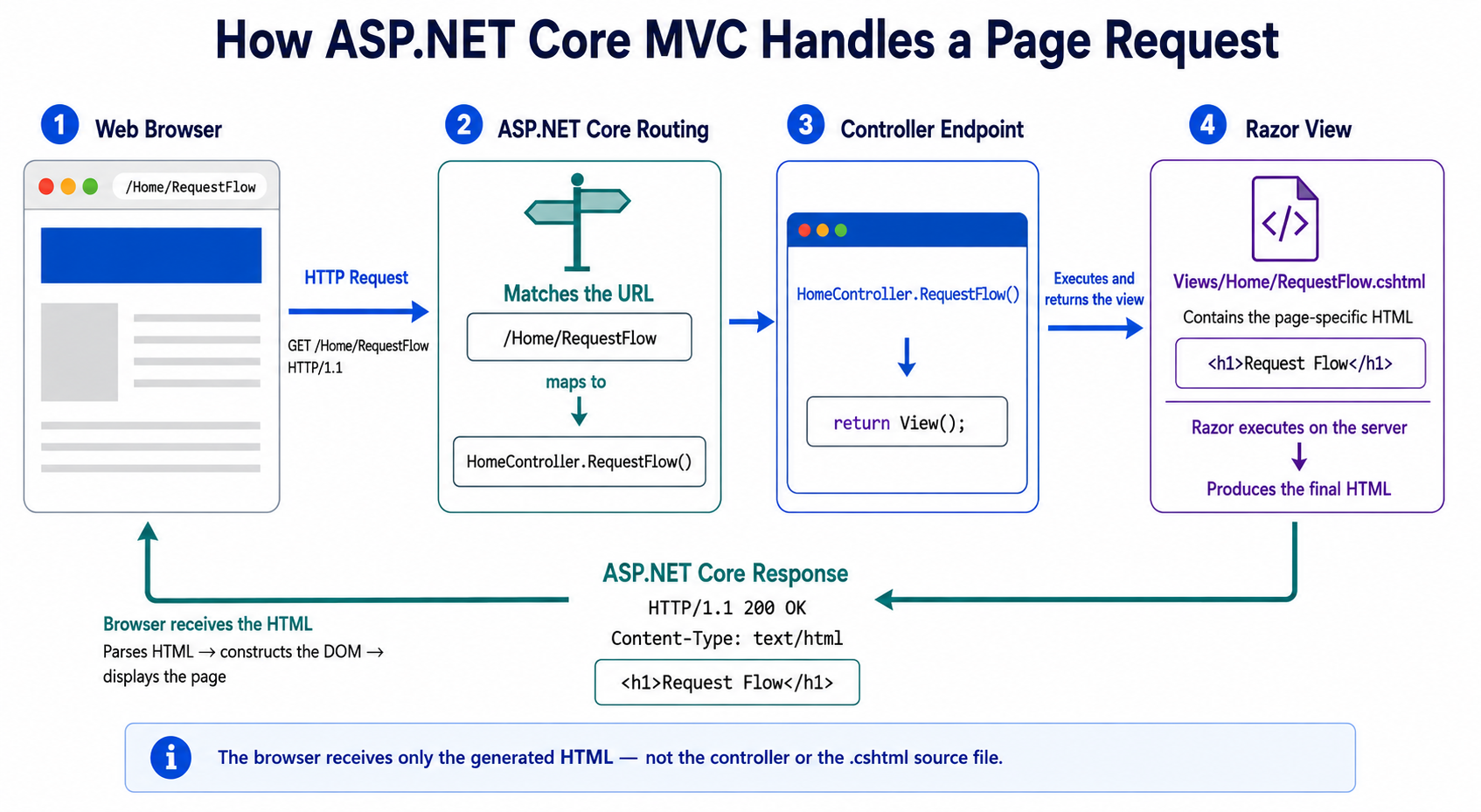 The full request/response cycle: the browser sends a GET request, ASP.NET Core
routes it to a controller action, the controller returns a view, and the
resulting HTML is sent back in the HTTP response for the browser to render.
The full request/response cycle: the browser sends a GET request, ASP.NET Core
routes it to a controller action, the controller returns a view, and the
resulting HTML is sent back in the HTTP response for the browser to render.
The Browser Sends an HTTP Request
When a visitor navigates to a URL like /Home/RequestFlow, the browser
sends an HTTP request to the server. That request looks something like:
GET /Home/RequestFlow HTTP/1.1
ASP.NET Core Selects an Endpoint
ASP.NET Core's routing system reads the URL and matches it to a specific controller
and action method. In our app, /Home/RequestFlow maps to
HomeController.RequestFlow().
The Controller Returns a View
The RequestFlow() action method doesn't build any HTML itself. It just
calls return View();, which tells ASP.NET Core to find and render the
matching view file — in this case, Views/Home/RequestFlow.cshtml.
The Server Returns HTML
The view file contains the HTML for this page. ASP.NET Core renders that view into a
complete HTML document, wraps it in an HTTP response, and sends it back to the
browser:
HTTP/1.1 200 OK
Content-Type: text/html
The browser receives that HTML response and constructs the page you're looking at
right now. Note that the browser never sees the C# controller code or the raw
.cshtml file — only the final rendered HTML.